If you have been searching “what is data center relocation?”, here is your primary source for knowledge about how you can keep your infrastructure safe while moving to new premises. Businesses need infrastructure that expands with them in the rapidly changing digital environment of today. With confidence, clarity, and control, this guide covers all you have to know regarding relocating your data center.
This data center relocation guide provides you with the information to thrive in 2026 and later, whether you are arranging your first move or refining an existing plan.
Introduction to Data Center Relocation
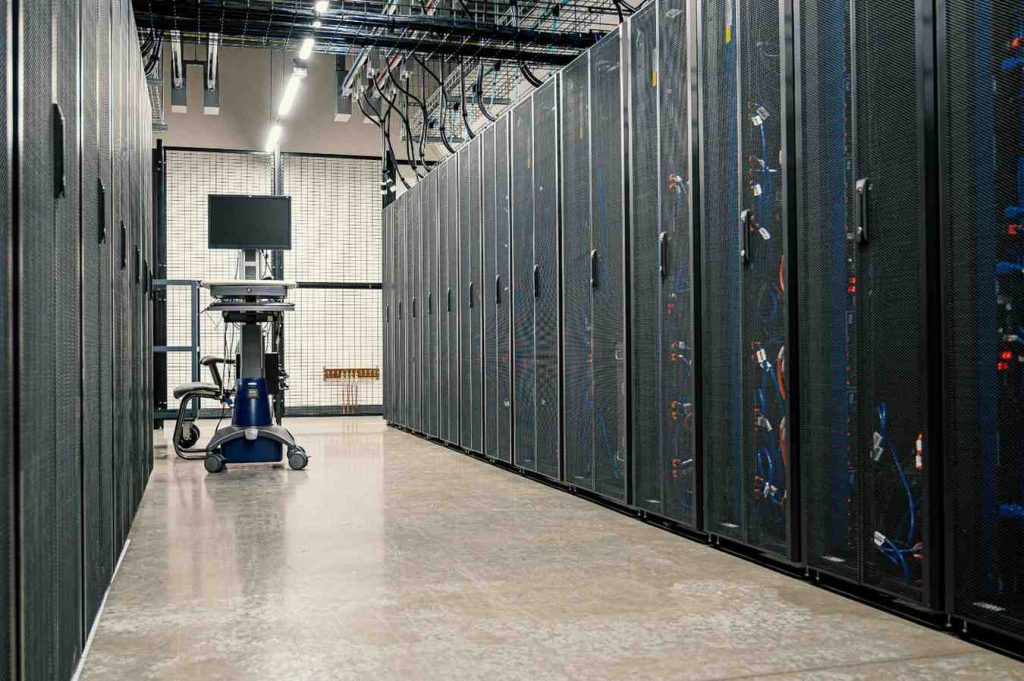
Data Center Relocation is the transfer of all your information technology infrastructure from one physical site to another. This comprises all related equipment, including servers, storage devices, and networking tools. It could happen inside the same structure, throughout a city, or even to a fresh nation. The objective is always straightforward. As you get more room, power, or performance in the new location, keep your activities going effectively.
Why It Matters in 2026 (Cloud Edge Hybrid IT Trends)
Faster growth, more demands for speed, and more stringent regulations on energy consumption face companies in 2026. Never has data center relocation importance been greater. Contemporary configurations combine hybrid systems, edge computing, and cloud services. A clever move helps you prepare for artificial intelligence loads, increase security, and lower costs. Companies that think ahead convert this process into a strategic benefit rather than a disruption.
When Businesses Typically Need Relocation
When your present space lacks cooling or power capacity, you could have to move data centers. Company growth, lease expiration, or the need for cheaper operating costs via colocation are among other frequent triggers. Many companies follow this path during acquisitions or when they want closer proximity to consumers for quicker response times.
Data Center Relocation vs Migration
People often ask about what is data center migration and how it compares to data center relocation. Here is the clear distinction. Data center relocation focuses on the physical movement of hardware. You pack, ship, and reinstall actual machines. Data center migration, on the other hand, moves digital workloads, data, and applications often to the cloud without touching the physical boxes. Both fall under data center migration and relocation strategies, but they solve different challenges.
When to Choose Relocation vs Migration
Choose data center relocation when your hardware needs a new home, and you want to keep existing equipment. Opt for migration if you prefer to shift everything to virtual or cloud platforms instead. Many successful projects combine both for the best results.
Real-World Scenarios (Use Cases Table)
| Scenario | Best Choice | Why It Fits |
| Outgrowing your current facility | Data center relocation | Physical expansion required |
| Moving to cloud only | Data center migration | No need to ship hardware |
| Hybrid setup with some on-prem gear | Both together | Keeps critical systems local while shifting others |
| Cost reduction through shared space | Data center relocation | Shift to a colocation provider |
What Happens in a Data Center Relocation?
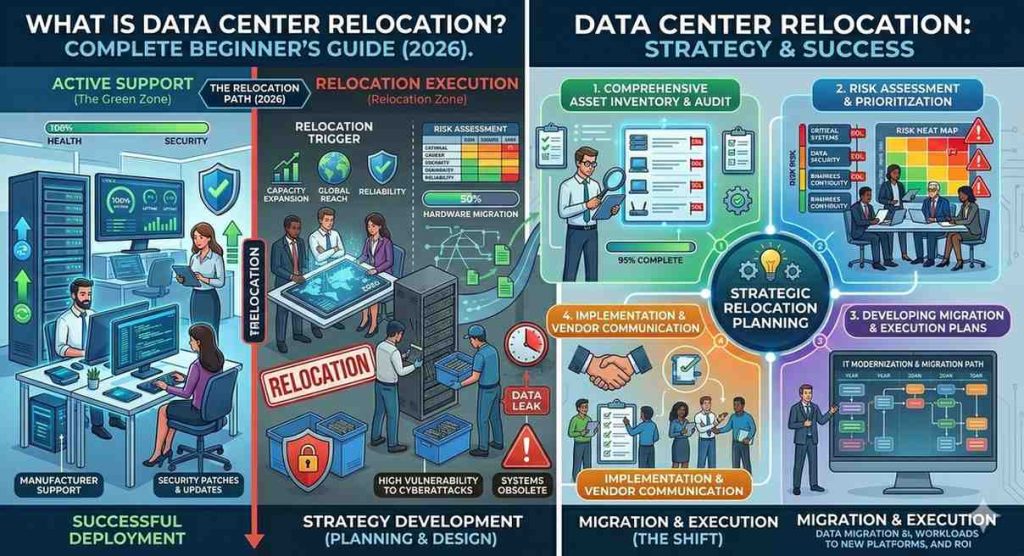
Every effective data center relocation begins with careful planning. Teams compile a timeline, a dependency map, and an inventory list. They also assess backups and select the appropriate timing to reduce influence on daily activities.
Physical & Logical Migration Steps
The physical component calls for careful disassembly, packing, and transportation. Logical stages comprise verifying connections, rerouting traffic, and modifying network configuration. To make sure nothing is overlooked, experts manage both sides.
Testing Validation & Go-Live
Before full operation, teams run thorough tests on power, cooling, and applications. They confirm everything works as expected, then flip the switch to go live with close monitoring.
Post-Move Optimization
Following the move, attention turns to fine-tuning performance, documentation maintenance, and removal of any unneeded equipment. This phase transforms the relocation into enduring benefits.
Types of Data Center Relocation
Every piece of equipment is moved simultaneously in a comprehensive data center relocation. Only certain systems are moved using partial moves; others follow behind. Often, reducing risk for bigger companies is a partial strategy.
On-Premise to Colocation
Many businesses move from their own facility to a shared colocation site. This lowers capital expenses and provides better redundancy without building everything from scratch.
Data Center Consolidation
Consolidation combines several little centers into one productive site. It reduces expenditures and streamlines administration.
Hybrid & Multi Cloud Transitions
Some movements feed right into hybrid models. You maintain crucial systems on site and connect them flawlessly to many cloud providers for ultimate flexibility.
Data Center Relocation Architecture Planning
First of all, chart every program and its links. This keeps crucial services online and avoids moving surprises.
Network & Connectivity Design
Plan early for new IP addresses, cabling, and bandwidth needs. Good connectivity design guarantees quick, dependable performance in the new area.
Power Cooling & Rack Planning
Determine if the new site has adequate rack space and power cooling capacity. Good preparation helps to prevent overheating or power outages following arrival.
Security & Compliance Requirements
Go over all rules and safety procedures. Revise encryption and firewall access rules to comply with most recent standards in the new surroundings.
Step-by-Step Data Center Relocation Checklist
Follow this data center relocation checklist to stay on track.
- List every gadget together with its function under discovery and asset inventory.
- Risk assessment: Before they show, find possible problems.
- Choose between a phased or a total migration strategy.
- Plan backup and disaster recovery: Make sure all backups operate.
- Set milestones and deadlines.
- Should it be required, get ready to safely reverse via testing and a rollback plan.
This checklist keeps projects organized and optimistic from start to finish.
Data Center Relocation Risks (and How to Avoid Them)
Short interruptions can happen but smart phasing and off peak timing keep them minimal. Test everything in advance to avoid surprises.
Data Loss & Corruption
Regular verified backups protect against any issues. Professionals use secure methods to keep information safe.
Hardware Damage
Climate-controlled transport and proper packing prevent physical harm. Experienced teams treat equipment with care.
Security Vulnerabilities
Maintain a strict chain of custody and encryption during transit. Post move audits close any gaps quickly.
Compliance Failures
Early legal reviews ensure all rules are met. Documentation helps prove every step followed the best standards.
With the right preparation data center relocation risks become manageable and the outcome stays positive.
Cost of Data Center Relocation
Data center relocation cost includes shipping labor, temporary downtime, and any new infrastructure at the destination. Plan for all of these openly.
Hidden Costs Most Companies Miss
Some overlook insurance, extra testing, or temporary cloud bridging. Budgeting for these early avoids surprises.
Cost Optimization Strategies
Phased moves reuse existing gear and choose colocation partners to lower expenses. Early planning often saves the most money.
During relocation, it is important to evaluate whether your systems are approaching End of Service Life. Ignoring this can lead to higher costs and unexpected failures after the move. Read our detailed guide on extending server life after EOSL.
Tools & Equipment Used in Data Center Relocation
Specialized lift racks and shock-absorbing crates keep servers safe during transit.
Cable Management & Labeling Systems
Color-coded labels and mapping software make reconnection fast and error-free.
Monitoring & Migration Tools
Real-time dashboards track temperature, power, and network status throughout the process.
Automation & AI Tools
Modern automation scripts and artificial intelligence help predict issues and speed up testing.
Data Center Relocation Best Practices
Phased cutovers and redundant systems let you achieve near zero downtime strategies in many cases.
Phased vs Big Bang Approach
Phased moves spread risk over time. The Big Bang completes everything at once when speed matters most. Choose based on your needs.
Documentation & Change Management
Keep detailed records and communicate clearly with every team member. Good habits prevent confusion.
Vendor Coordination
Align all partners early for smooth handoffs and shared accountability.
These data center relocation best practices set every project up for success.
Sample Data Center Relocation Project Plan
Timeline Example (Week by Week)
Week 1 to 2: Inventory and planning.
Week 3 to 4: Backup testing and risk checks.
Week 5: Physical packing and transport.
Week 6: Reinstallation testing and go live.
Week 7: Optimization and review.
Roles & Responsibilities
The project manager leads coordination. IT teams handle technical steps. Logistics partners manage transport. Executives approve key decisions.
Communication Plan
Hold weekly updates and use shared dashboards. Everyone stays informed and aligned.
Risk Management Framework
Identify risks, rate their impact and assign owners. Review progress often to stay ahead.
This data center relocation project plan template gives you a ready framework you can adapt.
Data Center Relocation Services: Do You Need Help?
Hire data center relocation services when your team lacks experience with large-scale moves or when time is tight. Professionals bring proven tools and reduce stress.
What to Look for in a Vendor
Choose partners with strong track records, manufacturer independence, and clear guarantees. Look for end-to-end support and transparent pricing.
In-House vs Outsourcing
Small moves may stay in-house. Larger or complex ones benefit greatly from expert outsourcing. The right choice keeps your focus on the core business. Understanding hardware lifecycle stages is critical before relocation. Knowing when systems reach EOL or EOSL helps you make smarter decisions.
Know more what EOL, EOSL, and EOS mean before your data migration.
Future Trends in Data Center Relocation (2026 & Beyond)
Edge facilities bring computing closer to users. Relocations increasingly target these distributed sites for lower latency.
AI Driven Automation
Artificial intelligence will soon automate more planning and testing steps, making moves faster and safer.
Sustainable Data Center Moves
Future projects will emphasize green transport and energy-efficient designs to meet environmental goals.
Rise of Colocation & Hyperscalers
More organizations will partner with large colocation and hyperscale providers for scalability and expertise.
FAQs
What is data center relocation?
It is the physical move of your information technology equipment to a new location while keeping operations smooth.
How long does relocation take?
Most projects span four to twelve weeks, depending on size and complexity.
What is the biggest risk?
Downtime remains the top concern, but careful planning reduces it dramatically.
How much does it cost?
Data center relocation cost varies widely, but early budgeting and smart strategies keep it manageable.
Can relocation be done without downtime?
Yes, many achieve near-zero downtime through phased approaches and redundancy.
Still have more questions about relocation, support, or infrastructure planning? Visit our FAQ section for quick answers.
Conclusion & Key Takeaways
Data center relocation opens exciting doors to better performance, lower costs, and future-ready infrastructure. Follow the data center relocation checklist embrace data center relocation best practices, and consider professional data center relocation services when needed. You now hold a complete data center relocation guide that turns complexity into opportunity.
Need help with your relocation plan? Get expert guidance tailored to your infrastructure, contact us today!
Summary Checklist
- Complete the full inventory
- Test all backups
- Map dependencies
- Plan power and cooling
- Choose phased timing
- Monitor closely after go-live
About The Author: